
How to Run a Compliance Gap Analysis That Actually Works


Compliance is not a paperwork exercise. It is a risk shield, a trust builder, and a foundation for operational stability. Yet many organizations treat compliance gap analysis like a checklist: gather documents, skim through requirements, hope for the best. That approach rarely uncovers the gaps that matter. A real compliance gap analysis needs clarity, structure, and a workflow built for accuracy.
This guide breaks down how to run a compliance gap analysis that produces results you can act on. It walks through the essential steps, common pitfalls, and the tools that help you turn analysis into meaningful progress.
You will also see how platforms like LMS Portals support these efforts with dedicated compliance features, multi tenant architecture, custom course development, and API integrations that connect your compliance strategy to the rest of your business.
Why Compliance Gap Analysis Matters More Than Ever
Organizations face a growing pressure to keep up with internal policies, external regulations, industry standards, and customer expectations. Whether you operate in healthcare, finance, manufacturing, technology, or professional services, regulators expect proof that you know your risks and have a plan to address them.
A compliance gap analysis gives you that proof. It helps you:
Identify areas where your current practices fall short
Prioritize fixes based on risk
Assign ownership
Track progress
Strengthen audits and reporting
Reduce penalties and operational disruptions
Done well, a gap analysis becomes the roadmap for your compliance program. Done poorly, it becomes an outdated document no one uses.
Step 1. Define the Scope With Precision
Most failed gap analyses fall apart here. If the scope is vague, the results will be vague. Start by setting boundaries you can enforce.
Key questions
What regulations or standards are you measuring against? Examples: OSHA, HIPAA, GDPR, SOC 2, ISO 27001, internal ethics guidelines.
What functional areas does the analysis cover?HR, IT security, operations, customer service, vendor management.
What timeframe are you analyzing? Last year, last quarter, or current state.
What format will the output take?A risk ranked report, a remediation roadmap, or both.
Best practices
Avoid scopes that are too broad. You can always expand later.
Document the scope before interviews begin.
Confirm it with all stakeholders to avoid surprises later.
A tight scope speeds up the process and increases accuracy, because no one wastes time chasing irrelevant information.
Step 2. Map Out Requirements and Current Controls
With scope in place, list every requirement you must meet. Next to each requirement, describe the control you have in place today. If you have no control, mark it as missing and move on.
Sources for requirements
Regulatory documents
Policy handbooks
Legal guidance
Contractual obligations
Training requirements
Internal standards
What to capture about each control
What the control is
How it works
Who owns it
How often it is reviewed
How it is enforced
Evidence that proves it exists
Many teams skip the evidence step. That is where mistakes begin. In compliance, if you cannot prove it, it does not count.
Step 3. Collect Evidence the Right Way
Evidence gathering separates real compliance programs from box checking. You want documentation that stands up to audits.
Good evidence includes
Logs
Policies
Screenshots
Sign offs
Certifications
Reports
Training records
Access control information
Bad evidence includes
Verbal confirmation
Draft documents
Anything not tied to a date, owner, or system of record
A strong learning management system helps here, especially when training compliance is a major piece of the puzzle. Instead of chasing spreadsheets and emails, you use a centralized platform that records exactly who completed what and when.
This is one of the areas where LMS Portals strengthens compliance documentation.
How LMS Portals Supports Compliance Evidence and Audits
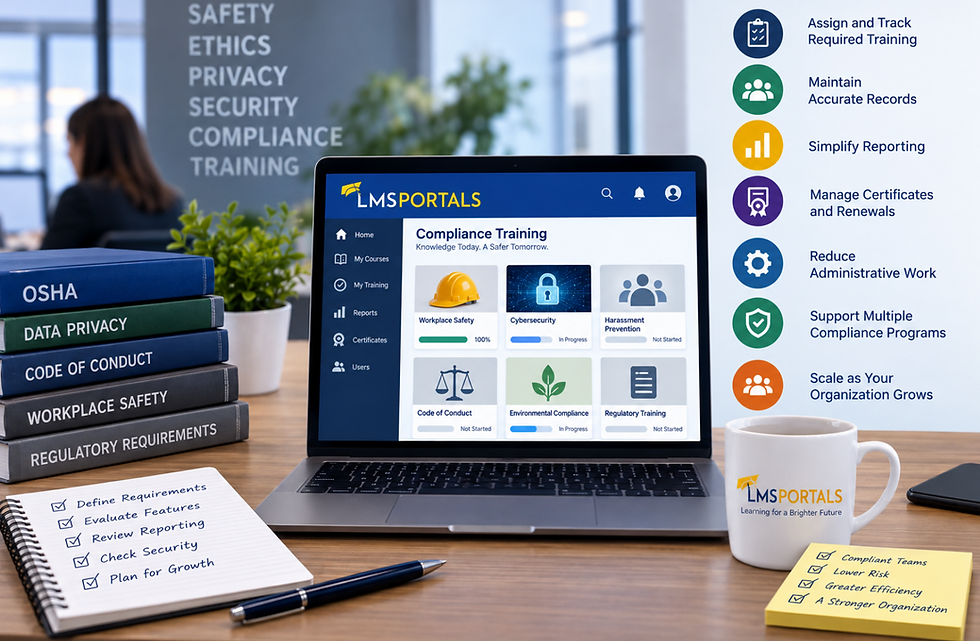
LMS Portals offers a multi tenant learning management system designed for organizations that need complete visibility, automated tracking, and clean audit histories.
Key compliance management features include
Automated training assignment based on roles and policies
Real time tracking of who is compliant or out of compliance
Built in reporting for audits and inspections
Version control for courses and policy training
Digital certificates with time stamped completion data
Automated reminders and escalation rules
Segmentation of users across departments, clients, or partners
The multi-tenant architecture allows you to create separate portals for different business units, clients, or divisions. Each tenant maintains its own compliance records while you retain global oversight.
This structure protects data, improves accountability, and simplifies evidence collection during a gap analysis.
Step 4. Identify the Gaps
Once you compare requirements to evidence, you can pinpoint gaps. A gap is any instance where a requirement is not fully met. It may be a missing control, a weak control, a lack of documentation, or poor training coverage.
Types of gaps you might find
Missing written policies
Processes that exist but are not followed
Inconsistent training
Outdated systems
Lack of audit trails
Missing approvals or sign offs
Partial compliance that needs strengthening
Controls no longer aligned with regulations
During this step, stay objective. Avoid blaming or explaining. The goal is accuracy, not justification. A clean picture of reality helps you build a stronger remediation plan.
Step 5. Rank the Gaps by Risk
Not every gap deserves immediate action. You want to focus energy on gaps with the highest risk of fines, operational impact, or legal exposure.
Ranking criteria
Impact on the organization if the gap leads to failure
Likelihood of the gap causing noncompliance
Cost and effort to fix it
Urgency imposed by regulators or contracts
Dependencies across teams or systems
A simple scoring system works well: score each criterion on a scale of 1 to 5, then add them up. High scoring gaps move to the top of the remediation plan.
This is also where compliance management tools inside LMS Portals can help. Reports allow you to see which areas have the greatest training gaps, expiration risks, or user groups most likely to fall out of compliance. Those insights strengthen your risk ranking.
Step 6. Build a Remediation Plan That Gets Done
A plan is only useful if people follow it. Keep yours clear, actionable, and designed for accountability.
Every remediation item should include
A description of the gap
The requirement it relates to
The owner responsible for fixing it
The steps required
The deadline
The expected outcome
The evidence needed to confirm closure
Good remediation plans are living documents. They evolve as conditions change, but they preserve the accountability that keeps momentum alive.
Step 7. Assign Training Where Needed
Training is one of the most common compliance gaps, because regulations shift, employees forget what they were taught, or new hires slip through onboarding cracks.
Effective compliance training includes
Clear learning paths
Automated deadlines
Job role alignment
Recurring refreshers
Measurable assessment
Documented completion
This is a core strength of LMS Portals. The platform supports unlimited training programs for any department or requirement. It also automates assignments so teams no longer chase employees manually.
How LMS Portals Supports Long Term Compliance Success
LMS Portals is built for organizations that need scalable learning and reliable compliance oversight. Here is how each major component helps you execute a smarter compliance gap analysis and maintain compliance moving forward.
Custom Course Development Services
Regulations do not come in one size fits all. Many organizations need training tailored to their industry, workflows, and policies.
LMS Portals provides custom course development services that allow you to build courses aligned with your compliance strategy. This includes:
Regulatory specific modules
Policy based microlearning
Scenario training for high risk situations
Assessment design
Multimedia content creation
Custom content ensures your workforce understands requirements in practical terms, not generic platitudes. During a gap analysis, these courses help verify that training aligns with actual controls and responsibilities.
Multi Tenant LMS With Robust Compliance Management Tools
A multi-tenant LMS gives you a clear advantage when your organization serves multiple groups, partners, or divisions. Each tenant gets its own training environment while you maintain full administrative oversight.
Compliance tools inside LMS Portals include:
Automated training assignments
Deadline rules and reminders
Real time dashboards
Noncompliance alerts
Audit ready reporting
Certificate tracking
Version control for updated regulations
These tools turn compliance from a manual process into a predictable, trackable workflow. During a gap analysis, the system provides reliable data for training, evidence collection, and reporting.
API Integrations for a Connected Compliance Ecosystem
Compliance does not live in a vacuum. Training data needs to flow to HR systems, risk management platforms, access control tools, and other operational software.
LMS Portals offers API integrations that allow you to:
Sync users and roles
Trigger training from external events
Send completion data to other systems
Connect HR onboarding workflows
Integrate policy updates
Feed dashboards across your enterprise tools
API connectivity removes duplicate work and ensures your compliance program stays aligned with actual business operations. When conducting a gap analysis, integrated data gives you a clearer view of who is compliant, who is not, and where the risks sit.
Step 8. Validate Progress and Repeat
A compliance gap analysis is not a one time event. It is a cycle that repeats as regulations change, teams evolve, and risks shift.
Build a review schedule
Annual for major regulations
Quarterly for high risk departments
Monthly review of training data
Continuous monitoring of audit trails
Tracking progress builds resilience. It also shows auditors and regulators that your compliance program is mature and proactive.
LMS Portals helps you stay ahead by providing real time data across all tenants and training programs. Instead of scrambling when an audit approaches, you maintain ongoing visibility.
Common Mistakes to Avoid
Even experienced teams fall into traps that weaken the analysis.
Mistake 1. Using outdated regulations
Requirements shift often. Always reference the latest versions.
Mistake 2. Assuming training equals compliance
Employees may pass courses but still misunderstand the rules. Pair training with practical controls.
Mistake 3. Avoiding uncomfortable findings
Gaps are opportunities. Accurate reporting leads to stronger compliance.
Mistake 4. Relying on manual reminders
Automate wherever possible to reduce risk and increase consistency.
Mistake 5. Failing to communicate results
Stakeholders need visibility. Keep them in the loop with clear summaries and mapped action items.
Summary
A compliance gap analysis is only as strong as its structure. When done with discipline and supported by the right tools, it gives you a clear map from where you are to where you need to be. You identify real risks, build accountability, and strengthen your compliance posture over time.
LMS Portals supports this journey with custom course development, a multi tenant LMS equipped with compliance management tools, and API integrations that connect training and compliance to the rest of your organization. With these capabilities, you not only find gaps. You close them, track them, and stay ahead of them.
About LMS Portals
At LMS Portals, we provide our clients and partners with a mobile-responsive, SaaS-based, multi-tenant learning management system that allows you to launch a dedicated training environment (a portal) for each of your unique audiences.
The system includes built-in, SCORM-compliant rapid course development software that provides a drag and drop engine to enable most anyone to build engaging courses quickly and easily.
We also offer a complete library of ready-made courses, covering most every aspect of corporate training and employee development.
If you choose to, you can create Learning Paths to deliver courses in a logical progression and add structure to your training program. The system also supports Virtual Instructor-Led Training (VILT) and provides tools for social learning.
Together, these features make LMS Portals the ideal SaaS-based eLearning platform for our clients and our Reseller partners.
Contact us today to get started or visit our Partner Program pages


Comments